Readers skim content or ask AI to summarize it before deciding whether to read it. To get your message across, know how to write clearly, succinctly, and professionally.
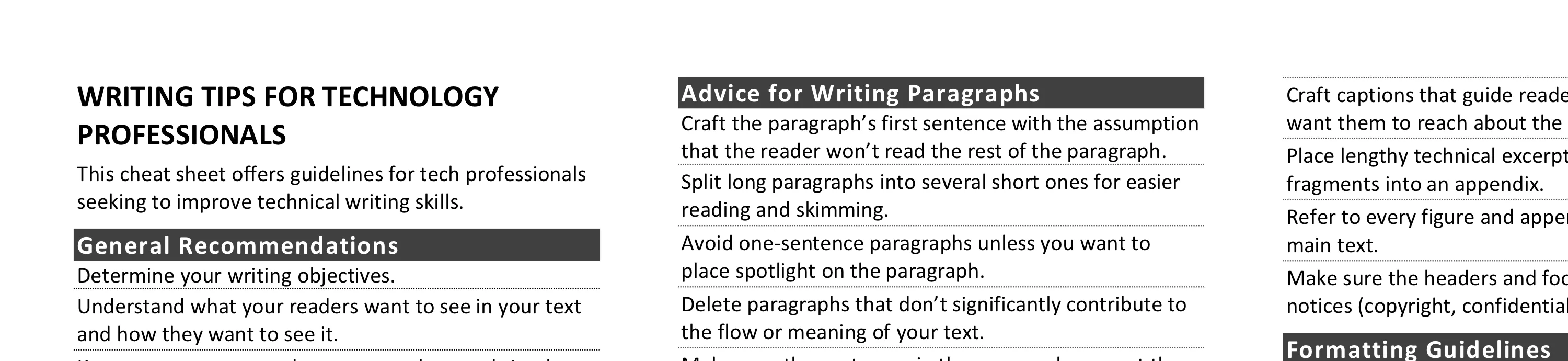
This cheat sheet offers guidelines for tech professionals seeking to improve technical writing skills. To print it, use the one-page PDF version; you can also customize the Word version of the document.
General Recommendations
- Determine your writing objectives.
- Understand what your readers want to see in your text and how they want to see it.
- Keep your message or document as short and simple as possible to achieve the goals of both parties.
- Use terminology and tone appropriate for the audience.
- Craft your text with the understanding that some readers will merely skim it.
- State the key takeaways upfront, at the start of your email message, document, or paragraph.
- Enable spelling and grammar-checking tools.
- Don’t plagiarize. Err on the side of caution. When in doubt, attribute anyway.
- Carefully read your text before finalizing it.
- Seek others’ feedback on the structure, look, words, and content of your writing.
- Improve your writing skills through deliberate efforts.
- Recognize that these tips are just guidelines. There are always exceptions.
Advice for Writing Sentences
- Delete words whose absence doesn’t significantly detract from the meaning of the sentence.
- Keep your sentences short.
- Be consistent regarding the Oxford comma.
- Avoid passive voice, which often leads to ambiguity and confusion.
- When feeling the need to use a semicolon, parenthesis or an em dash, consider breaking the thought into separate sentences.
- Maintain structural and stylistic parallelism across your headings and list elements.
- Know the difference between such as and like and use them accordingly.
Advice for Writing Paragraphs
- Craft the paragraph’s first sentence with the assumption that the reader won’t read the rest of the paragraph.
- Split long paragraphs into several short ones for easier reading and skimming.
- Avoid one-sentence paragraphs unless you want to place spotlight on the paragraph.
- Delete paragraphs that don’t significantly contribute to the flow or meaning of your text.
- Make sure the sentences in the paragraph support the paragraph’s objective.
Tips for Email Messages
- Try to keep your message shorter than 3 paragraphs.
- Lead with the strongest statement to grab attention.
- Assume the recipient will read only the first 2 sentences.
- Use the Subject line to get your main point across.
- Keep the message personally relevant to the reader.
- Don’t respond in the heat of the moment. Take time to reflect.
- Be specific about what action you’d like the reader to take or which conclusion the reader should reach.
- Consider whether email is the best medium for your message.
Tips for Longer Reports
- Use a consistent, generally accepted style for capitalizing words in a title.
- Pick a title that’ll catch the reader’s attention while also setting their expectations.
- Create a strong executive summary that stands on its own even if the reader ignores the rest of the report.
- Split the report into multiple sections to logically group and separate contents.
- Strive for a simple structure, avoiding deep nesting of headings and lists.
- Include at least one paragraph between two headings for an introduction or transition.
- Use the word processor’s style management features for consistent formatting of headings and other text.
- Craft captions that guide readers to the conclusions you want them to reach about the chart or figure.
- Place lengthy technical excerpts such as large code fragments into an appendix.
- Refer to every figure and appendix section from your main text.
- Make sure the headers and footers include the right notices (copyright, confidential, page number, etc.).
Formatting Guidelines
- Err on the side of simplicity when selecting a visual style for your document or message.
- Use italics or boldface, not both, when emphasizing.
- Know the difference between em dashes and hyphens and use them accordingly.
- Avoid breaking short lists or paragraphs across pages.
- Insert a single space, not 2, between sentences.
- Keep font size and typeface consistent throughout your document.
- Avoid unnecessary capitalization.
- Crop and size screenshots to ensure readability.
Tips for Writing with AI
- Use AI to draft, critique, or finetune your text, then revise to capture your voice and judgment.
- When tensions are high, don’t use AI even for the initial draft, since it might lack the right context and tone.
- Verify every important claim made by AI against reliable sources, since AI is confident even when it’s wrong.
- Prompt AI to list its sources so you can validate them and confirm that you’re not plagiarizing others’ content.
- Ask AI to review your text using different personas, so you can get feedback from multiple perspectives.
- Confirm that the AI provider’s settings and policies keep your organization’s information private.
Tips for Text Chats
- Skip the period at the end of your message if you want.
- Use emojis and abbreviations if the chat is informal and you believe the reader will understand them.
- Watch out for the errors introduced by autocorrect.
Post-Scriptum
Created by Lenny Zeltser, who’s been writing as an information technology and security consultant, product manager, author and instructor for many years and also teaches a writing course for cybersecurity professionals at SANS Institute. This cheat sheet is released under the Creative Commons Attribution 4.0 License.