REMnux provides a curated Linux environment for malware analysis. Its tools are grouped by task: Windows executables, scripts, documents, network interactions, and memory forensics. You'll also find commands for common analysis steps and for getting the most out of REMnux.
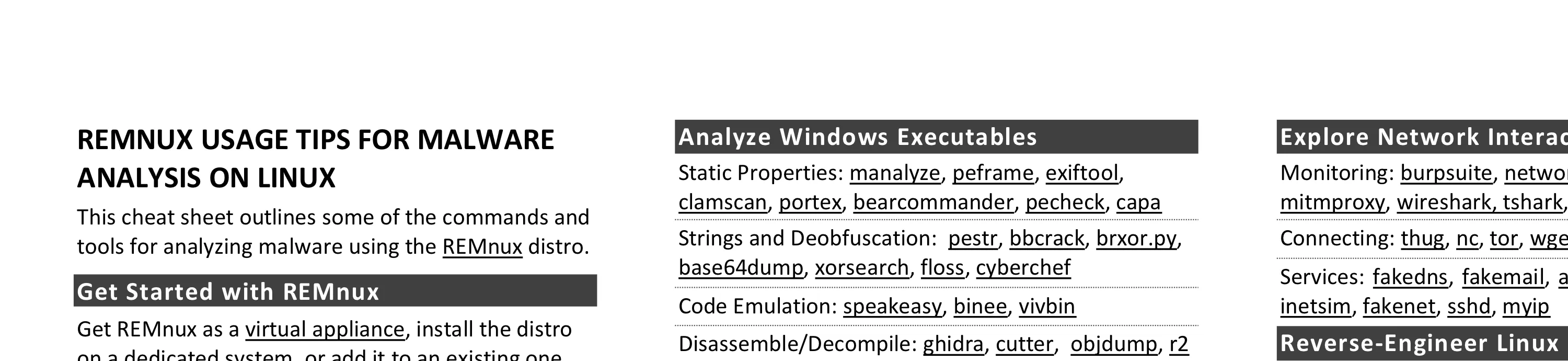
This cheat sheet outlines the tools and commands for analyzing malware using the REMnux Linux distribution. To print, use the one-page PDF version; you can also edit the Word version for your own needs.
Get Started with REMnux
- Get REMnux as a virtual appliance, install the distro on a dedicated system, or add it to an existing one.
- Review REMnux documentation at docs.remnux.org.
- Keep your system up to date by periodically running:
remnux install - Become familiar with REMnux malware analysis tools available as Docker images.
- Know default logon credentials. Username:
remnux, password:malware
Operate Your REMnux System
| Task | Command |
|---|---|
| Shut down the system | shutdown |
| Reboot the system | reboot |
| Switch to a root shell | sudo -s |
| Renew DHCP lease | renew-dhcp |
| See current IP address | myip |
| Open a file in VS Code | code file |
| View an image file | feh file |
| Start web server | httpd start |
| Start SSH server | sshd start |
Use AI for Analysis
- AI Agent: opencode or your own
- Connect Agent to Tools: REMnux MCP server
- OpenCode Commands:
/models,/new,/export - Limit Outbound Access: restrict-egress
on,off,status - Other AI Integrations: GhidrAssistMCP, ProcmonMCP, x64dbg Automate MCP, r2ai, r2mcp
Analyze Windows Executables
- Static Properties: manalyze, peframe, exiftool, clamscan, portex, bearcommander, pecheck, capa
- Strings and Deobfuscation: pestr, bbcrack, brxor.py, base64dump, xorsearch, floss, cyberchef
- Code Emulation: speakeasy, binee, vivbin
- Disassemble/Decompile: ghidra, cutter, objdump, r2
- Unpacking: bytehist, upx
Gather and Analyze Data
- Network and Hashes: pdnstool, malwoverview
- Files: yara, yr, scalpel, bulk_extractor
- Other: dexray, time-decode
Analyze Java, .NET, Android, and Scripts
- Android: apktool, droidlysis, androguard, baksmali, d2j-dex2jar, apkid
- Java: cfr, procyon, jad, jd-gui, idx_parser.py
- .NET: ilspycmd
- Python: pyinstxtractor-ng, pycdc
- JavaScript: js, js-file, objects.js, box-js
- Shellcode: shellcode2exe.bat, scdbg, xorsearch
- PowerShell: pwsh, base64dump
- AutoIt: autoit-ripper
- Go: GoReSym, redress
Examine Suspicious Documents
- Microsoft Office Files: pcodedmp, olevba, xlmdeobfuscator, oledump.py, msoffice-crypt, ssview
- RTF Files: rtfobj, rtfdump
- Email Messages: emldump, msgconvert
- PDF Files: pdfid, pdf-parser, pdfextract, pdfdecrypt, peepdf, pdftk, pdfresurrect, qpdf
- General: base64dump, tesseract, exiftool, zbarimg
Explore Network Interactions
- Monitoring: burpsuite, networkminer, polarproxy, mitmproxy, wireshark, tshark, monitor-network
- Connecting: thug, nc, tor, wget, curl, irc, ssh, unfurl
- Services: fakedns, fakemail, accept-all-ips, nc, httpd, inetsim, fakenet, sshd, myip
Reverse-Engineer Linux Binaries
- Static Properties: trid, exiftool, readelf.py
- Disassemble/Decompile: ghidra, cutter, objdump, r2
- Debugging: edb, gdb
- Behavior Analysis: ltrace, strace, frida, unhide
Other Analysis Tasks
- Memory Forensics: vol3, aeskeyfind, rsakeyfind, bulk_extractor
- File Editing: wxHexEditor, scite, code, xpdf, convert
- File Extraction: 7z, unzip, unrar, cabextract
Use Docker Containers for Analysis
- Binary Refinery: remnux/binary-refinery
- PyLingual Python Decompiler: remnux/pylingual
- REMnux in a Container: remnux/remnux-distro
Run Common Analysis Commands
| Task | Command |
|---|---|
| Identify packer | diec file |
| Extract strings | pestr file |
| List capabilities | capa -vv file |
| Map capa matches | capa -j file | r2decomp list --capa - file |
| Decompile function | r2decomp file addr |
| Decode Base64 | base64dump.py file |
| Emulate a PE file | speakeasy -t file |
| YARA Forge scan | yara-forge file |
This cheat sheet for REMnux is distributed under the Creative Commons Attribution 4.0 International License.